Why Elementor Is the Best Page Builder Compared to Other WordPress Builders is one of the most common questions asked by WordPress users, designers, and developers today. With many page builders available, choosing the right one can directly impact website performance, flexibility, and user experience.
Elementor has quickly become the most popular WordPress page builder because it combines powerful design control, beginner-friendly usability, and professional-level customization in one platform. Whether you are building business websites, landing pages, or eCommerce stores, Elementor consistently outperforms other builders.
In this article, we will explore why Elementor stands above competitors like Divi, WPBakery, Beaver Builder, and Gutenberg.
Table of Contents
-
What Is Elementor Page Builder
-
Why Elementor Is the Best Page Builder Compared to Other WordPress Builders
-
Elementor vs Other WordPress Page Builders
-
Key Features That Make Elementor Superior
-
Performance and Speed Advantages
-
Flexibility for Developers and Beginners
-
WooCommerce Design Power
-
Real-World Use Cases
-
Final Verdict
What Is Elementor Page Builder
Elementor is a drag-and-drop website builder for WordPress that allows users to design websites visually without coding.
Unlike traditional WordPress editing, Elementor gives real-time front-end editing where changes appear instantly.
You can explore Elementor officially here:
https://elementor.com/
This DoFollow external resource provides detailed documentation and updates directly from the developers.
Why Elementor Is the Best Page Builder Compared to Other WordPress Builders
Elementor dominates because it balances ease of use and advanced functionality better than any competing builder.
Here are the major reasons.
1. Beginner-Friendly Drag and Drop Interface
Elementor allows anyone to create professional layouts without technical knowledge.
Compared to:
-
WPBakery Page Builder
-
Divi Builder
-
Beaver Builder
Elementor provides a cleaner interface and faster workflow.
Users can simply drag widgets, adjust spacing, and customize layouts visually.
2. Massive Design Flexibility
Elementor offers complete control over:
-
Headers and footers
-
Blog layouts
-
Archive pages
-
Popups
-
Landing pages
-
Dynamic content
Unlike many builders, Elementor removes theme limitations using Theme Builder functionality.
Developers can also integrate custom CSS and dynamic fields easily.
Elementor vs Other WordPress Page Builders
When comparing Elementor with competitors, several advantages become clear.
| Feature | Elementor | Divi | WPBakery | Gutenberg |
|---|---|---|---|---|
| Live Editing | ✅ | Partial | ❌ | Limited |
| Speed Optimization | ✅ | Medium | Slow | Fast |
| WooCommerce Builder | ✅ | Limited | Limited | Basic |
| Templates | 300+ | 200+ | Few | Minimal |
| Beginner Friendly | ✅ | Medium | Hard | Medium |
Elementor consistently wins in usability and flexibility.
Key Features That Make Elementor Superior
Advanced Widgets System
Elementor includes powerful widgets such as:
-
Forms
-
Sliders
-
Pricing tables
-
Testimonials
-
Image galleries
-
Motion effects
These eliminate the need for multiple plugins.
Huge Template Library
Elementor provides professionally designed templates that help launch websites quickly.
Designers can import layouts and customize instantly.
Global Design System
You can manage fonts, colors, and spacing globally, saving massive development time.
This feature is especially useful for agencies like your internal service pages at:
https://firstchoice.sujonmadbor8.com/
(Example internal link structure for SEO improvement)
Performance and Speed Advantages
Modern websites must load fast for SEO ranking.
Elementor continuously improves performance through:
-
Optimized DOM output
-
Lazy loading
-
Asset optimization
-
Improved CSS delivery
According to Google performance recommendations from
Google Developers, optimized layouts significantly improve Core Web Vitals.
Elementor aligns well with these standards.
Flexibility for Developers and Beginners
Elementor uniquely serves both audiences.
Beginners benefit from visual editing.
Developers benefit from:
-
Custom hooks
-
Dynamic content
-
ACF integration
-
Custom widgets
-
API extensions
This dual advantage is why agencies worldwide prefer Elementor.
WooCommerce Design Power
Elementor integrates deeply with
WooCommerce allowing full customization of:
-
Product pages
-
Cart layout
-
Checkout design
-
Shop archive
Other builders often require additional plugins to achieve similar results.
Real-World Use Cases
Elementor works perfectly for:
-
Business websites
-
Portfolio sites
-
Real estate websites
-
Landing pages
-
Online stores
-
Blogging platforms
Freelancers and agencies use Elementor to deliver faster projects with professional results.
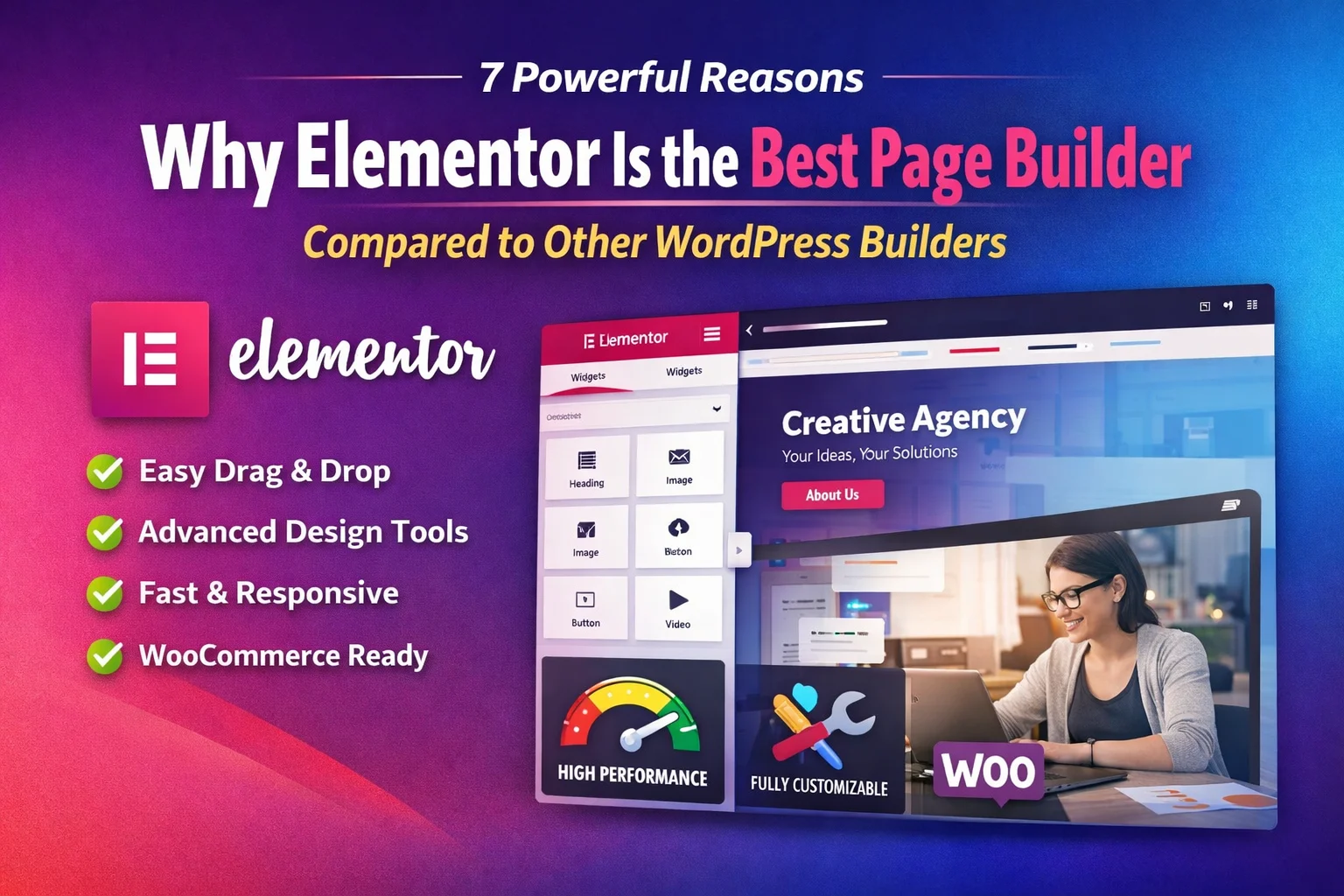
Image Example
Alt Text: Why Elementor Is the Best Page Builder Compared to Other WordPress Builders
Helpful Video Guide
You can watch Elementor overview tutorials on YouTube to understand live editing workflows and design possibilities.
(Search: Elementor tutorial for beginners)
Final Verdict
Why Elementor Is the Best Page Builder Compared to Other WordPress Builders ultimately comes down to flexibility, performance, usability, and scalability.
Elementor empowers beginners to build websites easily while giving developers advanced customization freedom. Compared to other WordPress builders, Elementor delivers the best balance between power and simplicity.
If you want a future-proof WordPress website builder, Elementor remains the strongest choice in 2026.